
Filing your Self Assessment tax return with HMRC can quickly become overwhelming if you are unsure what records to keep or which expenses you can claim. Even a small mistake may lead to questions from HMRC, unexpected tax bills, or deadline penalties. The pressure to get every detail right is something every freelancer or sole trader feels at tax time.
You do not need to guess your way through the process. Knowing how to collect the right documents, identify allowable expenses, and avoid common pitfalls makes the entire submission clear and stress-free. These proven steps break down what you need to do so you stay organised, maximise your tax relief, and keep HMRC satisfied with your submission.
As you read on, you will unlock practical guides and expert tips that will make completing your Self Assessment not just possible, but straightforward. These steps reveal what successful freelancers and sole traders do each year to stay compliant and avoid common tax mistakes.
Table of Contents
- 1. Collect All Income Records And Supporting Documents
- 2. Identify Allowable Business Expenses
- 3. Calculate Your Taxable Profit Accurately
- 4. Complete The Self Assessment Tax Return Form
- 5. Double-Check For Common Submission Errors
- 6. Submit And Save Confirmation From HMRC
Quick Summary
| Key Message | Explanation |
|---|---|
| 1. Collect all income records promptly | Gather all income documentation and supporting documents consistently throughout the tax year to avoid penalties and ensure accuracy. |
| 2. Identify allowable business expenses | Only claim expenses incurred wholly and exclusively for business purposes. This understanding maximises tax relief while complying with HMRC regulations. |
| 3. Accurate taxable profit calculation is essential | Calculate your taxable profit accurately by deducting allowable expenses from total income to prevent tax liabilities and penalties. |
| 4. Complete Self Assessment tax return accurately | Fill out the Self Assessment forms truthfully and fully, including all necessary supplementary pages, to avoid queries and fines from HMRC. |
| 5. Save confirmation after submission | Download and securely store your submission confirmation from HMRC as proof of filing and compliance for future reference. |
1. Collect All Income Records and Supporting Documents
Before you submit your Self Assessment tax return to HMRC, you need to gather every piece of income documentation you’ve earned throughout the tax year. This foundational step determines the accuracy of your entire submission.
Why does this matter? HMRC expects you to declare all income sources, and incomplete records can lead to penalties, investigation requests, or tax underpayments. As a freelancer or sole trader, your income records form the backbone of your tax claim.
What Income Records You’ll Need
Start by collecting documentation from every avenue where you earned money during the tax year (6 April to 5 April). This includes invoices you issued to clients, payment receipts, bank statements showing deposits, and records from any platforms or marketplaces you used for work.
You must also track income from secondary sources. Many freelancers forget about occasional earnings from one-off projects, referral bonuses, or part-time work. Your Personal Tax Account with HMRC helps you check your income tax estimate and review what HMRC already knows about your earnings.
Gather documentation for every single income source, no matter how small. HMRC cross-references your records with information received from third parties, and discrepancies trigger investigations.
Supporting documents you’ll want to compile:
- Invoices (issued and paid) for client work
- Bank statements showing all deposits and transfers
- Payment confirmations from online platforms (PayPal, Stripe, Wise, etc.)
- Records of cash payments with dates and client names
- Email receipts or contracts confirming work completed
- Records of any gifts, loans, or non-taxable income (to explain unusual deposits)
Digital Records Matter
Under Making Tax Digital requirements, sole traders must keep digital records of their income. This doesn’t mean you need specialist software immediately, but you should organise your documents electronically in a way that’s easy to retrieve and verify.
Store copies of invoices, bank statements, and payment records digitally. Use folders organised by month or client to avoid scrambling when HMRC requests information. Digital backup protects you from accidental loss and makes compliance straightforward.
The Three-Month Rule
Don’t leave this task until January when your Self Assessment deadline looms. Collecting records three months before your submission date gives you time to identify gaps, chase missing documentation from clients, and resolve discrepancies with your bank.
Memory fades quickly. If you wait until March or April to gather records from April of the previous year, you’ll struggle to recall project details or locate supporting evidence.
Pro tip: Set a monthly reminder to download and file your bank statements and invoices the moment each month ends; this prevents the overwhelming task of collecting twelve months of records in one sitting.
2. Identify Allowable Business Expenses
Not every pound you spend running your business can be deducted from your taxes. Understanding which expenses HMRC allows you to claim is crucial for maximising your tax relief whilst staying compliant.
Allowable business expenses must be incurred wholly and exclusively for your business purposes. This is the golden rule that separates claimable costs from personal spending that HMRC will reject.
What Makes an Expense Allowable?
HMRC distinguishes between two types of business spending: revenue expenses and capital expenses. Revenue expenses are the day-to-day costs of running your business, whilst capital expenses are investments in assets that last several years.
Revenue expenses are generally allowable and reduce your taxable profit directly. Capital expenses typically cannot be deducted in full but may qualify for capital allowances over time. Understanding this difference prevents costly mistakes on your tax return.
Only expenses incurred wholly and exclusively for business purposes qualify for tax relief. Mixed-use costs require careful apportionment to claim only the business portion.
Common Allowable Expenses for Freelancers and Sole Traders
You can claim a wide range of allowable business expenses including office costs, professional fees, travel, and staff wages. Here are the main categories most freelancers use:
- Office supplies (stationery, printer ink, paper)
- Software subscriptions and online tools
- Professional fees (accountants, solicitors, consultants)
- Travel costs (fuel, public transport for business journeys)
- Telephone and internet bills (business portion only)
- Professional development and training courses
- Insurance (public liability, professional indemnity)
- Equipment under £500 (tablets, cameras, software)
The Mixed-Use Problem
Many freelancers work from home or use personal items for business. You cannot claim the entire cost. Instead, calculate the percentage used for business and claim only that proportion.
For example, if your home office uses one room out of ten, you can claim 10% of your rent, council tax, and utilities. This requires honest calculation, but HMRC accepts proportionate claims backed by reasonable justification.
Capital Expenses and Equipment
Expensive equipment like computers, furniture, and vehicles fall into capital expenses. Items costing over £500 typically cannot be claimed as direct deductions but may qualify for annual investment allowances or capital allowances.
Smaller equipment items under £500 can be claimed as revenue expenses in the year of purchase, making them immediately deductible. Keep receipts to prove purchase dates and costs.
Pro tip: Record every business expense with the date, amount, and reason it was purchased; this creates an audit trail that protects you if HMRC requests evidence of your claims.
3. Calculate Your Taxable Profit Accurately
Your taxable profit is the figure HMRC uses to determine how much tax you owe. Getting this calculation wrong can lead to underpayments, penalties, or unnecessary overpayments. Accuracy at this stage saves you money and stress.
The calculation follows a straightforward formula: take your total income, subtract allowable expenses, and adjust for any disallowable items. The result is your taxable profit for the tax year.
The Basic Calculation Formula
Start with your total business income from all sources during the tax year. This includes invoiced work, cash payments, online platform earnings, and any secondary income from your business activities.
From this figure, subtract every allowable business expense you incurred. These are the genuine costs of running your business that HMRC permits you to deduct. The difference between income and expenses is your profit before adjustments.
Taxable profit equals total income minus allowable business expenses. Any calculation error here affects your entire tax liability, making accuracy non-negotiable.
Choosing Your Accounting Method
You can calculate your profit using either the cash basis or traditional accounting method. The cash basis is simpler for most freelancers and sole traders: you count income when money arrives and expenses when you pay them.
Traditional accounting (accruals basis) counts income when invoiced and expenses when incurred, regardless of payment timing. If you have turnover under £150,000, cash basis typically suits you better and requires less record-keeping complexity.
Step-by-Step Calculation Process
Follow this sequence to calculate your taxable profit accurately:
- Gather all income records and total them by source
- Compile your list of allowable business expenses
- Subtract total expenses from total income
- Identify any disallowable expenses to add back (personal costs claimed by mistake)
- Calculate adjustments like capital allowances or trading allowances
- Review how to calculate your taxable profits using HMRC guidance
Common Adjustments to Make
Some items require adjustment after your initial calculation. Depreciation on capital equipment is added back because HMRC prefers capital allowances instead. Personal drawings or dividends are not expenses and must be removed from your calculation.
You may also elect the trading allowance if your profit falls below £1,000, which removes the need to report self-employment income entirely. This simplification saves time for many freelancers with modest turnover.
- Capital allowances on equipment over £500
- Trading allowance (up to £1,000 of profit)
- Disallowable personal expenses
- Depreciation adjustments
- Loss relief from previous years
Why Accuracy Matters Now
Every pound of error in your taxable profit calculation becomes a pound of incorrect tax liability. An error of £1,000 could mean an overpayment of £200-£400 depending on your tax rate.
Double-checking your arithmetic and reviewing categorisations takes an hour but prevents costly mistakes. Use spreadsheets or dedicated software to minimise manual calculation errors.
Pro tip: Calculate your taxable profit two or three months before your Self Assessment deadline; this gives you time to verify figures, chase missing invoices, and correct errors without rushing.
4. Complete the Self Assessment Tax Return Form
The Self Assessment tax return form is your official declaration to HMRC of your income, expenses, and tax liability. Completing it accurately and on time is a legal requirement that directly affects your tax bill and compliance status.
You do not need to submit a paper form anymore. HMRC now requires most taxpayers to file online through their official portal or approved software, which automatically checks for errors and calculates your tax liability as you go.
Understanding the Forms You Need
The main form is the SA100, which is the core Self Assessment tax return. Depending on your income sources, you may also need supplementary pages that provide detailed breakdowns of specific income types.
If you have self-employment income, you complete the Self Employment pages. Additional pages exist for rental income, partnerships, trusts, and other income sources. HMRC will tell you which supplementary pages apply to your circumstances.
The SA100 form and any supplementary pages must be completed truthfully and submitted by the deadline. Incomplete or inaccurate forms trigger queries and potential penalties.
Which Supplementary Pages Apply to You?
As a freelancer or sole trader, you almost certainly need the Self Employment (full) pages or Self Employment (short) pages. The full version requires detailed records of income and expenses, whilst the short version simplifies the process for those with straightforward finances.
You’ll only complete other supplementary pages if you have rental income, partnership involvement, or investment income from sources like dividends. Most freelancers focus solely on the Self Employment section.
Step-by-Step Completion Process
Follow this sequence when filling your tax return:
- Log into your HMRC online account using Government Gateway credentials
- Start your Self Assessment tax return for the correct tax year
- Complete the main SA100 form with personal details and overall figures
- Fill in the Self Employment pages with your business income and expenses
- Add any other income sources requiring supplementary pages
- Review your calculated tax liability and any tax code adjustments
- Sign and submit your return before the deadline
Common Fields You’ll Complete
The Self Employment pages require you to enter self-assessment tax return information including your business name, turnover, cost of goods sold, and detailed expense categories.
You’ll be asked to declare your total income, total allowable expenses, and resulting profit. The form then calculates your Class 2 and Class 4 National Insurance contributions automatically based on your profit figure.
- Business income from invoices and cash work
- Cost of materials or stock purchased
- Staff costs (if you employ others)
- Premises costs (rent, rates, utilities)
- Motor expenses and travel costs
- Professional fees and subscriptions
- Other allowable business expenses
Online Submission Advantages
Submitting online provides immediate confirmation of receipt and automatic error-checking before you finish. You can save your return and return to it later, which is helpful if you need to gather missing information.
Online submission also means HMRC can issue a tax calculation within minutes, showing exactly what you owe or what refund you’ll receive. This beats waiting weeks for a paper form assessment.
Pro tip: Complete and submit your tax return at least two weeks before the deadline; this gives HMRC time to process your submission and gives you time to sort any issues HMRC raises about your return.
5. Double-Check for Common Submission Errors
Before you hit submit, take time to review your entire tax return for mistakes. A few minutes of careful checking now prevents weeks of correspondence with HMRC and potential penalties later.
Many freelancers and sole traders make preventable errors that trigger queries, delays, and unnecessary stress. Learning what HMRC commonly flags lets you catch these mistakes before submission.
The Most Costly Errors to Avoid
Incorrect personal identifiers cause significant problems. Your Unique Taxpayer Reference (UTR) and National Insurance number must match HMRC’s records exactly, or your return will not be processed correctly.
Missing supplementary pages is another frequent issue. If you have self-employment income, you absolutely must complete the Self Employment pages. Submitting only the main SA100 without these pages leaves your income undeclared and appears as a blank return to HMRC.
Verify your UTR, National Insurance number, and supplementary pages before submission. These three errors account for the vast majority of rejected or delayed returns.
Identity and Reference Number Checks
Check that you’re using the correct tax year and that your personal details match HMRC’s records exactly. Your name, date of birth, and address should be spelled identically to how HMRC holds them.
Your UTR appears on HMRC correspondence and in your Personal Tax Account. Copy it precisely. Even a single digit wrong prevents processing. Similarly, your National Insurance number must be entered exactly as printed on your National Insurance card.
Income Reporting Completeness
Ensure every income source is declared. This includes invoiced work, cash payments, online platform earnings, and any ancillary income from your business activities.
Review your bank statements from the entire tax year to identify deposits you might have overlooked. Many freelancers forget about one-off payments or small projects completed months earlier.
Common income reporting mistakes:
- Forgetting cash payments not deposited until after the tax year end
- Missing income from secondary platforms or marketplaces
- Failing to declare gifts or loans that appear as deposits
- Overlooking reimbursements from clients
- Not reporting VAT returns as income (if VAT registered)
Expense Calculation Errors
Verify that your expense figures are accurate and complete. Cross-reference your detailed expense list against your bank statements to catch omissions or duplications.
Ensure you have not claimed the same expense twice or claimed personal costs as business expenses. Review guidance on ensuring documents and tax returns are correct to understand HMRC’s expectations for accuracy.
Supplementary Page Accuracy
If completing Self Employment pages, verify that your profit figure matches your main SA100 return. The figures must reconcile exactly, or HMRC will request clarification.
Review the expense categories to ensure you have not claimed disallowable items. Personal costs, entertaining expenses, and private vehicle use cannot be claimed.
Final Review Checklist
Before submission, work through this verification list:
- Confirm UTR and National Insurance number are correct
- Verify all personal details match HMRC records
- Check that all income sources are declared
- Confirm all supplementary pages are completed
- Verify expense figures are accurate and complete
- Ensure profit figure matches on all forms
- Review calculated tax liability for reasonableness
- Confirm no disallowable expenses were claimed
Pro tip: Print your completed tax return or save it as a PDF, then review it on paper rather than on screen; you’ll spot typos and errors far more easily on printed text than on a computer display.
6. Submit and Save Confirmation from HMRC
Submitting your tax return is not the final step. After submission, you must download and save your confirmation from HMRC as proof that your return was received and accepted. This document protects you and provides evidence of compliance.
Many freelancers submit their return and then forget about it. Yet keeping your submission confirmation is crucial for future queries, agent involvement, or if HMRC ever questions whether you filed on time.
The Submission Process
When you submit your Self Assessment return online through HMRC’s portal, you receive an immediate acknowledgement of submission. This confirmation appears on screen and should also arrive via email to the address registered with your Government Gateway account.
Do not close the browser or navigate away until you have saved this confirmation. Take a screenshot or download the PDF if the option appears. This instant confirmation proves HMRC received your return.
Your submission confirmation is official evidence that you filed your return. Keep it permanently alongside your tax records for at least six years.
What Your Confirmation Contains
Your HMRC submission confirmation includes several key pieces of information. It displays your submission reference number, the date and time of submission, and confirmation that HMRC has accepted your return.
The confirmation also summarises the key figures from your return, including your total income, expenses, and calculated tax liability. Review this summary carefully to ensure the figures match what you intended to submit.
Downloading and Saving Your Confirmation
After submission, log back into your HMRC online account immediately. Your submission confirmation should be available in your account for download. Save this as a PDF file using your computer or device.
Store your saved confirmation in a dedicated folder on your computer labelled with the tax year. For example, “Tax Return 2023-24 Confirmation” makes it easy to locate later if needed.
Steps to save your confirmation:
- Log into your HMRC Personal Tax Account
- Find your submitted return in the “Tax returns” section
- Click “View” or “Download”
- Save the confirmation PDF to your computer
- Back up the file to cloud storage (Google Drive, OneDrive, iCloud)
- Print a hard copy if you prefer physical records
The SA302 Calculation Statement
After HMRC processes your return (usually within a few weeks), you can request your SA302 calculation statement. This shows your final tax calculation and explains any adjustments HMRC made to your figures.
The SA302 is not automatically sent but is available to download from your account. You may need this document when applying for mortgages, loans, or other credit, as lenders often request proof of your income and tax bill.
Understanding how to obtain your SA302 helps you gather evidence of your declared income when needed for financial applications.
Keeping Records for Six Years
HMRC has the power to investigate your tax affairs for up to six years after submission. Download and save copies of your submitted return and all supporting documents to protect yourself.
This means keeping your submission confirmation, all invoices, expense receipts, bank statements, and any correspondence with HMRC for six complete years. Digital storage with cloud backup provides excellent protection against accidental loss.
Pro tip: Save your submission confirmation to cloud storage immediately after filing, not just your computer; this ensures you have access even if your device fails or gets lost, and you can retrieve it from anywhere.
Below is a comprehensive table summarising the key points discussed in the article on preparing for Self Assessment taxation filing as a freelancer or sole trader.
| Main Topic | Details and Actions | Key Benefits |
|---|---|---|
| Collecting Income Records | Gather all income documentation, including invoices, receipts, bank statements, and proof of earnings from various sources. Ensure digital organisation and retrieval. | Ensures accurate tax reporting and compliance with HMRC requirements. |
| Identifying Allowable Expenses | Separate business expenses from personal ones, distinguishing between revenue and capital expenditures. Claim appropriately for proportions of mixed-use costs. | Reduces tax liability through legitimate expense claims. |
| Calculating Taxable Profits | Subtract allowable expenses from total income. Adjust for non-deductible items, and use either cash accounting or traditional accounting methods. | Provides an accurate figure for Self Assessment submission and ensures proper tax payment. |
| Completing Tax Return | File the correct forms online, ensuring all required supplementary pages are completed accurately. | Facilitates accurate submission and avoids penalties. |
| Avoiding Common Errors | Double-check UTR, National Insurance number, income, and expense reporting. Eliminate calculation and omission mistakes. | Promotes compliance and smooth HMRC processing. |
| Saving Submission Confirmation | Download and store the confirmation and related documents securely for at least six years. | Provides proof of submission and supports future queries or investigations. |
Simplify Your HMRC Tax Submission with Taxtotal
Navigating the detailed steps of the HMRC tax submission process can be overwhelming especially when juggling income records, allowable expenses, and exact profit calculations. Common challenges like incomplete documentation, expense confusion, and fear of costly errors make self-assessment daunting for freelancers and sole traders alike. Taxtotal understands these pain points by offering a platform designed to guide you through accurate income entry, expense tracking, and seamless submission of your Self Assessment tax return without needing accounting expertise.
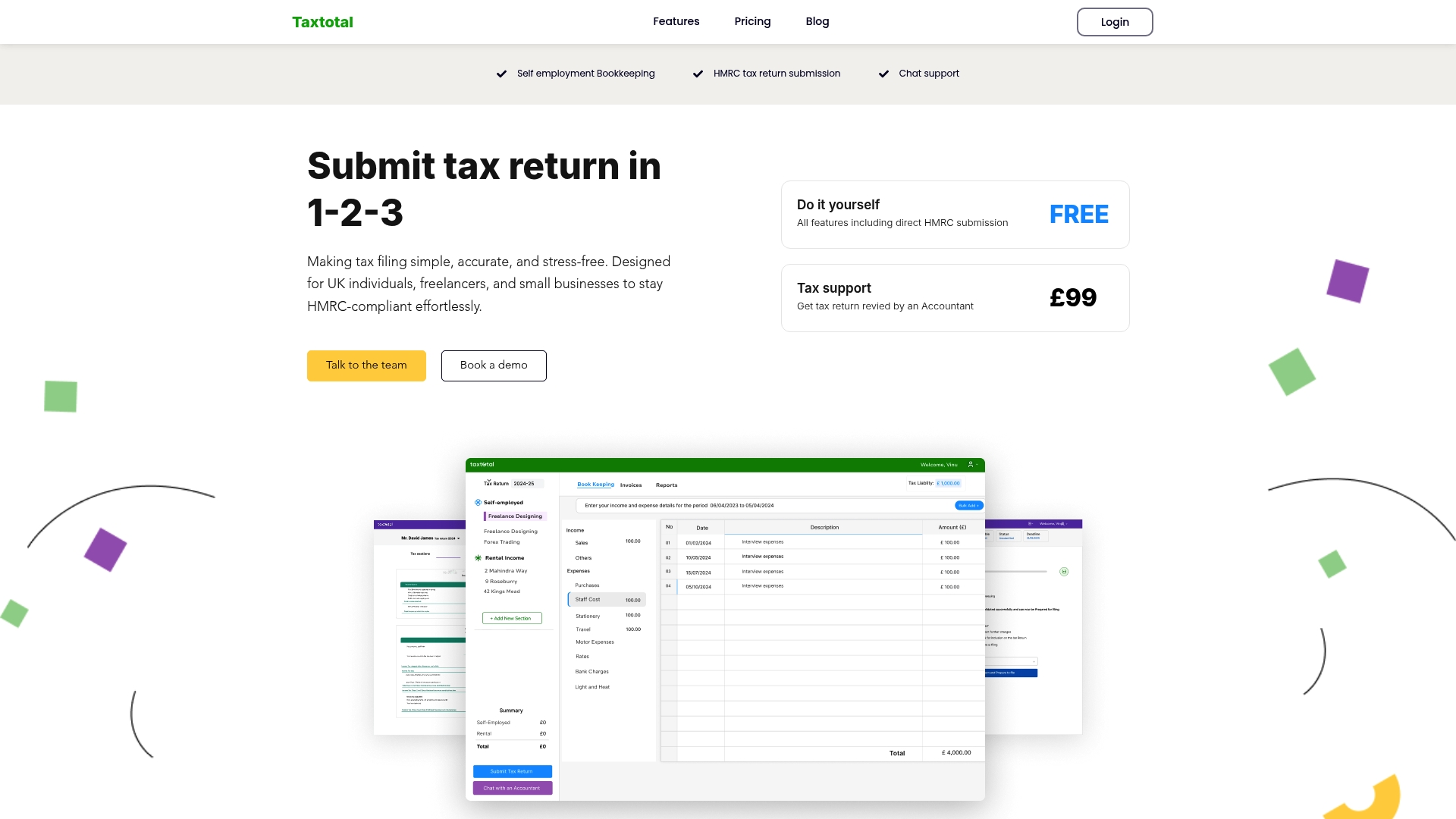
Why struggle with complex forms and last-minute gathering of financial documents when you can rely on an intuitive, real-time tax calculation and error-checking system at Taxtotal.co.uk? Start managing your tax affairs confidently today by visiting Taxtotal to prepare, review, and submit your returns with professional ease. Take control now to avoid penalties and ensure compliance with HMRC’s requirements for a stress-free tax season.
Frequently Asked Questions
What are the key income records I need for my HMRC tax submission?
You need to gather all income documentation including invoices, payment receipts, bank statements, and records from any platforms you used for work. Start by compiling these documents as soon as possible to ensure accuracy in your tax return.
How do I identify allowable business expenses for my tax submission?
Determine which expenses are incurred wholly and exclusively for business purposes, such as office supplies, professional fees, and travel costs. Review your records and ensure you’re only including eligible costs to maximise your allowable deductions.
What is the best way to calculate my taxable profit accurately?
Calculate your taxable profit by subtracting your allowable business expenses from your total income. Follow a structured approach to ensure you’ve accounted for all income sources and expenses correctly before your submission.
How can I ensure my Self Assessment tax return is completed accurately?
Carefully review your tax return for common errors, especially in personal identifiers and income reporting completeness. Take time to cross-check all figures, including expenses and supplementary pages, to avoid potential penalties.
What should I do after submitting my Self Assessment tax return?
After submission, download and save your confirmation from HMRC as proof that your return was received and accepted. Retain this document alongside your tax records to protect yourself in case of future queries from HMRC.
How long should I keep records related to my tax submission?
You should keep your tax records, including your submission confirmation, for at least six years. This ensures you have evidence readily available in case HMRC requires clarification or conducts an investigation.