
Preparing taxes as a sole trader can feel daunting when deadlines approach and paperwork stacks up. Staying compliant with HMRC’s rules means organising every document, double-checking your figures, and keeping records that clearly capture your business activity throughout the British tax year. This guide walks through the most practical steps for accurate record keeping and error-free Self Assessment preparation, giving you confidence that your submission meets all requirements without unnecessary hassle.
Table of Contents
- Step 1: Gather Financial Records And Invoices
- Step 2: Organise Income And Allowable Expenses
- Step 3: Input Tax Details With Taxtotal Platform
- Step 4: Review Calculated Tax Figures For Accuracy
- Step 5: Submit Self Assessment Return To HMRC
Quick Overview
| Essential Insight | Explanation |
|---|---|
| 1. Gather all financial records | Collect all essential documents including bank statements, invoices, and receipts to ensure accuracy in reporting your income and expenses. |
| 2. Organise income and expenses effectively | Categorise your allowable expenses to maximise deductions and simplify the tax return process, enhancing tax efficiency. |
| 3. Review tax figures for accuracy | Meticulously check all calculated figures against your financial records to avoid potential penalties and ensure compliance with HMRC. |
| 4. Submit tax return by deadline | Ensure your return is submitted electronically by 31 January following the tax year to prevent fines; maintain proof of submission for your records. |
Step 1: Gather financial records and invoices
As a sole trader preparing your Self Assessment tax return, gathering your financial records is a critical first step. Your documentation provides the foundation for accurately reporting your business income and expenses to HMRC.
To build a comprehensive financial record collection, you’ll need to compile several key documents. Start by collecting all business bank statements, which track your income and expenditures throughout the tax year. These statements should cover the entire period from 6 April to 5 April. Next, gather sales invoices for all services or products you’ve sold, ensuring you have proof of every transaction.
Here are the essential documents you should gather:
- Bank statements for business accounts
- Sales invoices issued to clients
- Purchase receipts for business expenses
- VAT records (if registered)
- Expense documentation like travel costs, equipment purchases, and office supplies
When collecting records, follow HMRC’s guidelines for accurate record keeping. Ensure your documentation demonstrates a clear trail of all business financial activities. Keep both digital and physical copies as backup, and organise them chronologically to make your tax return process smoother.
Tip: Digital record-keeping can save you significant time during tax preparation, allowing for easier tracking and organisation of financial documents.
Pro tip: Consider using a dedicated folder or digital system to store your financial records, making them easily accessible when it’s time to complete your Self Assessment tax return.
Step 2: Organise income and allowable expenses
Successfully managing your sole trader finances requires meticulous organisation of income and allowable expenses. By systematically tracking these financial elements, you’ll simplify your Self Assessment tax return and potentially maximise your tax efficiency.
To effectively organise your business finances, start by categorising your business expenses according to HMRC guidelines. Allowable business expenses can significantly reduce your taxable profit, so understanding what qualifies is crucial. These typically include:
- Office costs (stationery, computer equipment)
- Travel expenses related to business activities
- Staff wages and subcontractor payments
- Advertising and marketing expenditures
- Professional training and development costs
- Business premises rental
- Financial charges like bank fees
When recording your income, ensure you capture all revenue streams comprehensively. This includes payments for services, product sales, and any additional business income. Keep detailed records of each transaction, noting the date, amount, and client or source.
Important: Only expenses that are wholly and exclusively for business purposes can be claimed.
Choose between cash basis or traditional accounting methods, depending on your business structure. Cash basis allows you to record expenses when paid, while traditional accounting notes them when incurred. Whichever method you select, maintain consistency throughout the tax year.

Here is a comparison of cash basis versus traditional accounting for sole traders:
| Aspect | Cash Basis Accounting | Traditional Accounting |
|---|---|---|
| Timing of recording | When cash is received/paid | When income/expenses incurred |
| Complexity | Simpler for small businesses | More detailed, requires accruals |
| Suitability | Ideal for turnover under £150,000 | Suitable for all business sizes |
| Impact on tax planning | Easier to track liquidity | Enables precise profit reporting |
Pro tip: Invest in a dedicated accounting spreadsheet or digital tool to track income and expenses systematically, making your annual tax preparation significantly smoother and more accurate.
Step 3: Input tax details with Taxtotal platform
Submitting your tax details efficiently can transform a potentially stressful process into a straightforward experience. With the Self-Employed Tax Workflow, you’ll navigate your Self Assessment submission with confidence and precision.
To begin entering your tax information, log into your Taxtotal account and access the tax details input section. You’ll need to prepare several key pieces of financial information beforehand, including:
- Total business income for the tax year
- Breakdown of business expenses
- Details of any personal contributions to pension schemes
- Information about business assets purchased
- National Insurance contributions
The platform guides you through each section systematically, prompting you to enter specific financial details with clear instructions. Double-check all entered information to ensure accuracy before final submission.
Accurate data entry is crucial to avoid potential issues with HMRC and ensure correct tax calculations.
Taxtotal’s interface is designed to make the process intuitive, breaking down complex tax requirements into manageable steps. As you progress, the platform provides real-time validation and helpful guidance to streamline your tax return preparation.
Pro tip: Keep all supporting financial documents open and accessible while completing your tax details to ensure quick and accurate data entry.
Step 4: Review calculated tax figures for accuracy
Accurately reviewing your tax calculations is the critical final checkpoint before submitting your Self Assessment return. Ensuring tax return documents are correct can prevent potential penalties and unnecessary HMRC investigations.
Carefully compare every calculated figure against your original financial records. Key areas to scrutinise include:
- Total business income
- Claimed business expenses
- Tax relief calculations
- National Insurance contributions
- Personal allowance adjustments
- Capital gains or losses
- Pension contributions
Pay special attention to mathematical accuracy and ensure that each number aligns precisely with your supporting documentation. Cross-reference bank statements, invoices, and accounting records to validate every entry.
Meticulous review reduces the risk of errors that could trigger HMRC investigations.
Check that all tax calculations have been performed correctly, including applying the right tax rates and accounting for any specific deductions or credits you’re entitled to claim. If any figures seem inconsistent or you’re uncertain about a calculation, consider seeking professional tax advice.
Pro tip: Create a separate checklist of all financial documents and systematically verify each figure against the original source to ensure absolute accuracy.
Step 5: Submit Self Assessment return to HMRC
The final stage of your tax preparation journey involves submitting your completed Self Assessment return to HMRC before the critical deadline. Sending your tax return requires attention to detail and timely action.
To submit your return, follow these essential steps:
- Log into your Government Gateway account
- Navigate to the Self Assessment section
- Review all entered financial information
- Confirm your unique taxpayer reference (UTR)
- Check calculated tax figures
- Agree to the declaration
- Submit electronically
Remember that the online submission deadline is 31 January following the end of the tax year. Paper returns must be submitted by 31 October. Double-check all information before final submission to avoid potential penalties or enquiries.
Accuracy and timeliness are crucial when submitting your Self Assessment return to HMRC.
After submission, HMRC will send a confirmation email. Keep this for your records, as it serves as proof of timely filing. If you discover any errors after submission, you can make amendments within 12 months of the original filing date.
Here is a summary of key tasks for a successful Self Assessment submission:
| Task | Why It Matters | Timing/Deadline |
|---|---|---|
| Gather all financial records | Ensures accuracy and compliance | Start of tax preparation |
| Double-check all data | Prevents penalties or delays | Before submission |
| Submit online return | Proof of timely compliance | By 31 January |
| Retain HMRC confirmation email | Provides evidence if questioned | Immediately post-submission |
Pro tip: Submit your tax return at least one week before the deadline to allow buffer time for unexpected technical issues or last-minute corrections.
Simplify Your Sole Trader Tax Preparation with Taxtotal
Preparing your Self Assessment return as a sole trader comes with challenges like organising detailed financial records, accurately categorising allowable expenses, and ensuring every figure matches HMRC requirements. You want to avoid mistakes that could lead to penalties while saving time on the complex process of inputting tax details and reviewing calculations. With terminology such as “cash basis accounting” and “national insurance contributions” adding to the confusion, managing your tax correctly can feel overwhelming.
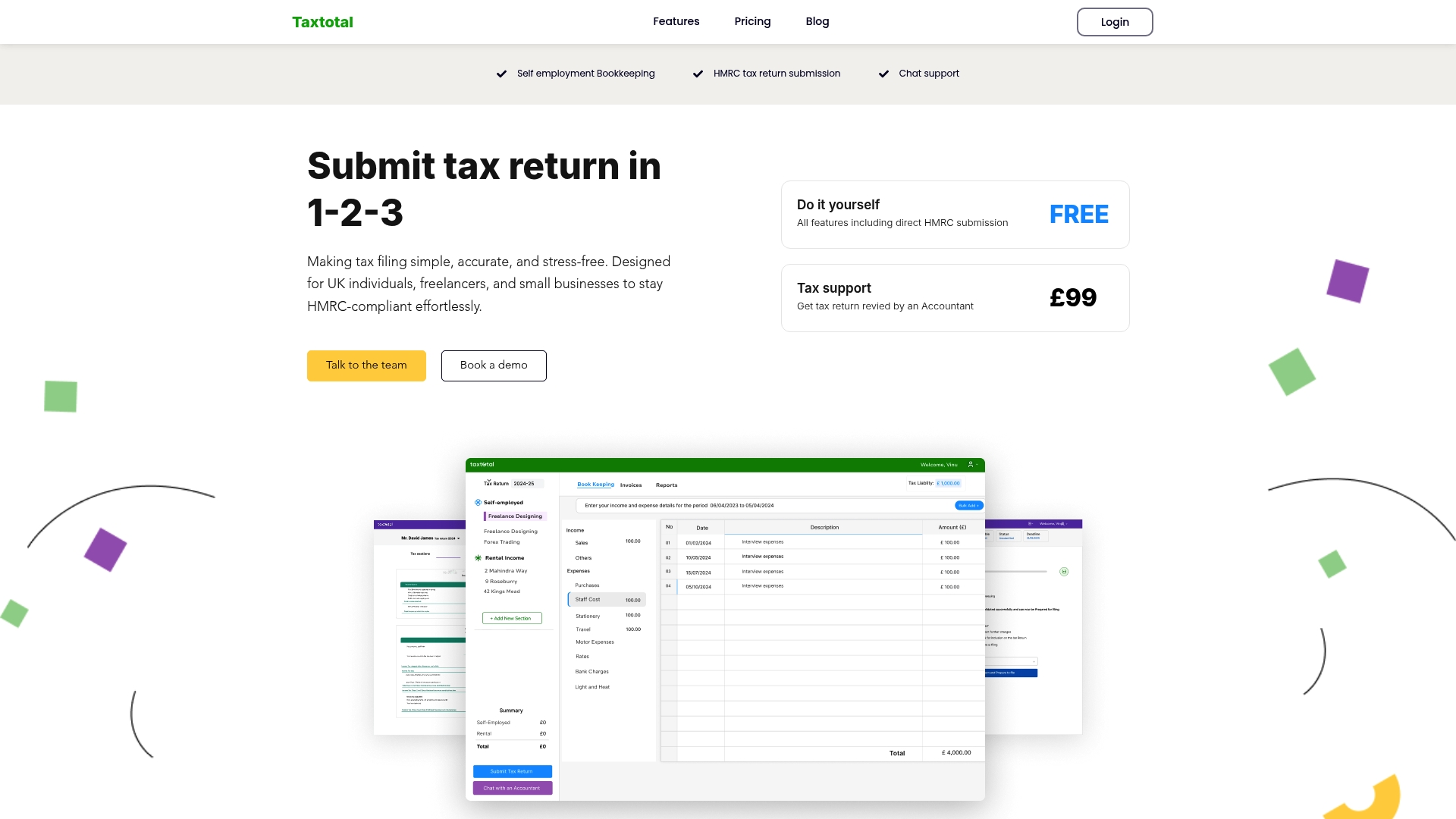
Take control of your tax journey today with Taxtotal.co.uk, an online platform designed to make self-employment tax management simple and stress-free. Benefit from a user-friendly interface that guides you to enter income and expenses with confidence. Real-time calculations and error checks ensure accuracy while direct submission to HMRC removes the worry of missing deadlines. Explore our Tax Support – Taxtotal resources for expert guidance or streamline your record keeping with tools found in the Accounting – Taxtotal section. Visit Taxtotal.co.uk now and transform complicated tax filing into a straightforward, reliable process tailored for sole traders like you.
Frequently Asked Questions
How do I gather financial records as a sole trader?
Gather all your essential financial records, including business bank statements, sales invoices, and receipts for business expenses. Start by compiling these documents chronologically to create a clear overview of your financial activities for the tax year.
What are allowable business expenses I can claim?
Allowable business expenses include costs like office supplies, travel related to business, and advertising expenses. To maximise your tax efficiency, categorise these expenses accurately and ensure they are solely for business purposes.
How can I input my tax details effectively on the Taxtotal platform?
Log into your Taxtotal account and access the tax details input section. Prepare key financial information beforehand, such as total business income and expense breakdowns, to simplify the process and ensure accuracy.
What should I review before submitting my Self Assessment return?
Meticulously review all calculated figures, such as total income and claimed expenses, against your original documents. This check reduces the risk of errors and potential HMRC investigations, ensuring your return is accurate and complete.
What steps must I take to submit my Self Assessment return?
To submit your return, log into your Government Gateway account, review all entered information, and submit electronically by the deadline. Ensure all details are correct before submission to avoid penalties or further investigation from HMRC.
What should I do if I discover an error after submission?
If you find an error after submitting your Self Assessment return, you can amend it within 12 months of the original filing date. Make the necessary corrections promptly to avoid potential penalties and ensure correct tax calculations.